
KazePay Review
Digital nomads, stablecoin earners, and global crypto spenders who want zero transaction fees, 210+ country coverage, and instant virtual card access without staking requirements.
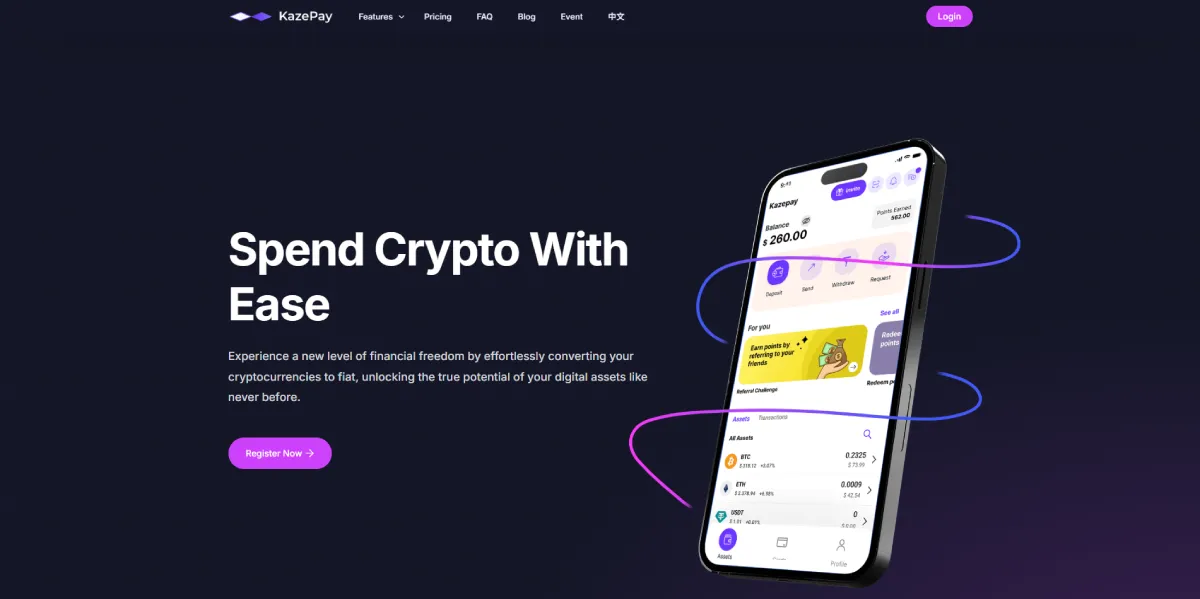
KazePay is a virtual and physical crypto debit card that runs on both Visa and Mastercard networks, accepted in 210+ countries with zero spending fees and zero monthly charges. It is one of the broadest-reaching cards in the USDT category by geography, and its zero-fee spending model makes it attractive for users who transact frequently across multiple currencies.
The card supports top-ups in USDT and USDC across a wide range of blockchain networks — including BSC, Solana, Tron, Avalanche, Arbitrum, Base, Aptos, and Ethereum — giving it stronger multi-chain flexibility than most competitors. Daily limits reach up to $250,000 on premium tiers, and a 2% cashback rebate is available via the Aptos network for qualifying users.
The trade-off is a higher top-up fee of 1.8%–2.2% compared to the 1% charged by most alternatives, and an FX conversion fee that can reach 3% depending on the currency pair. KazePay also charges $100–$150 for a physical card, and Apple Pay and Google Pay are only supported on the virtual card — not the physical card.
Best suited for: USDT and USDC holders who need broad network top-up flexibility, high geographic coverage, and zero per-transaction spending fees.
장점
- Zero transaction fees for spending (no micro-transaction or purchase fee)
- Available in 210+ countries — one of the broadest global coverages
- Instant virtual card issuance with minimal KYC
- Supports multiple stablecoin chains: BSC, Solana, Tron, Avalanche, Arbitrum, Base, Aptos, Ethereum, Liquid, Base
- Multiple card tiers for spending volumes up to $250,000 daily
- Apple Pay and Google Pay supported on virtual card
- Multiple virtual cards supported on one account
- No staking or token holding required
단점
- Top-up fees of 1.8%–2.2% apply on all recharges (one of the higher rates in market)
- Physical card does NOT support Apple Pay or Google Pay
- iOS app limited to US region only; non-US users must use web app
- ATM withdrawal incurs 2% fee plus $1 minimum charge
- No confirmed official cashback or rewards program
- KYC becoming mandatory — minimal-KYC window closing for existing users
- Card balance cannot be withdrawn back on-chain
- No refund guarantee on virtual card transactions
The Real Cost of Using KazePay
KazePay’s zero spending fee is its headline advantage, but the full cost picture requires looking at the top-up fee, which is higher than most competitors in this category. At 1.8%–2.2% on deposits, KazePay’s entry cost is roughly double the 1% charged by cards like 테바우 그리고 포케페이.
The practical impact depends entirely on how you use the card. If you top up once and spend the full balance over many transactions, the higher deposit fee is a one-time cost that is quickly offset by the zero spending fee. If you top up frequently in smaller amounts, the 1.8%–2.2% deposit fee will accumulate into a higher effective cost than cards with lower top-up rates.
The FX conversion fee adds another variable. KazePay’s FX fee ranges from 1% to 3% depending on the currency pair, which is a wide range. For users spending predominantly in currencies close to their base currency, the lower end of that range applies. For less common currency pairs, the 3% ceiling is a real cost to factor in.
A practical example: top up $500 USDT at a 2% deposit fee ($10), spend it in a foreign currency with a 2% FX fee ($10) — total cost $20 on a $500 spend, or 4% effective. On the same $500, Tevau’s structure (1% top-up, 0% spending, 1.2% FX) produces a $10.50 total cost, or 2.1%. The gap is meaningful for frequent spenders.
KazePay makes financial sense when you top up infrequently in large amounts, spend heavily across many transactions, and keep purchases in lower-FX-fee currency pairs.
Multi-Chain Top-Up: KazePay’s Genuine Advantage
Where KazePay clearly leads the field is blockchain network support for top-ups. The card accepts USDT and USDC across BSC, Solana, Tron, Avalanche, Arbitrum, Base, Aptos, and Ethereum — more supported networks than any other card in this comparison.
This matters because network choice affects the cost and speed of your top-up. Sending USDT via Tron (TRC20) is typically faster and cheaper in gas fees than Ethereum (ERC20). Having the option to choose your preferred network without being locked into one or two options gives KazePay users more control over their top-up economics.
For users holding assets across multiple chains — particularly DeFi participants active on Arbitrum, Base, or Avalanche — KazePay eliminates the need to bridge assets to a specific network before topping up. That is a genuine convenience advantage that cards like Tevau (network not specified) and 세이프팔 (primarily Arbitrum for USDC) do not match.
The Physical Card Limitation Worth Knowing
KazePay has an important limitation that is not always prominently communicated: Apple Pay and Google Pay are only supported on the virtual card, not the physical card. This is unique to KazePay among the cards reviewed on this site — every other card that supports Apple Pay does so regardless of whether you are using the virtual or physical version.
In practice, this means if you order a KazePay physical card expecting to add it to your phone’s wallet, you cannot. The physical card works only as a traditional chip-and-PIN or contactless card at terminals. If Apple Pay or Google Pay integration is important to your spending workflow, keep this in mind before paying the $100–$150 physical card fee.
Spending Limits by Tier
KazePay operates a tiered limit structure based on verification level:
| 층 | 일일 한도 | 월별 한도 |
|---|---|---|
| 기준 | $50,000/day | Not disclosed |
| Premium | $250,000/day | $400,000/month |
The standard $50,000 daily limit is competitive — higher than most cards in this category at the base tier. The premium $250,000 daily limit covers virtually all high-volume personal and small business use cases. These limits position KazePay well for users who have outgrown cards with sub-$15,000 daily caps.
Who Should NOT Get KazePay
You top up frequently in small amounts. The 1.8%–2.2% top-up fee hits hardest when applied to multiple small deposits. A card with a lower deposit fee will cost you less over time if you prefer topping up weekly rather than monthly.
You rely on Apple Pay or Google Pay with a physical card. KazePay’s Apple Pay and Google Pay support is virtual-card only. If you need a physical card that works with your phone wallet, every other card in this category handles this better.
You spend in high-FX-fee currency pairs regularly. KazePay’s FX fee can reach 3%, which is higher than 테보의 1.2% and RedotPay의 1.2%. Frequent cross-currency spenders will find cheaper options elsewhere.
You hold BTC, ETH, or assets beyond USDT and USDC. KazePay only accepts stablecoins for top-up. If your primary holdings are BTC or ETH, you will need to convert before loading the card — an extra step and potential cost.
You want straightforward cashback. The 2% rebate via Aptos network has not been officially confirmed by KazePay, and availability may vary. Do not choose KazePay primarily for its rewards.
How KazePay Compares to Similar Cards
| 카제페이 | 테바우 | 레드닷페이 | |
|---|---|---|---|
| 추가 요금 | 1.8%–2.2% | ~1% | 1% |
| 지출 수수료 | 무료 | 무료 | 1% |
| 외환 수수료 | 1%–3% | 1.2% | 1.2% |
| Daily limit (standard) | $50,000 | $3,000,000 | $1,000,000 |
| Supported networks | 8+ chains | Not specified | ERC20, TRC20, BSC, Arbitrum+ |
| Physical card cost | $100–$150 | $100 | $100 |
| Apple Pay (physical) | ❌ | ✅ | ✅ |
| 캐시백 | 2% (Aptos, unconfirmed) | Points | Up to 3% (Solana) |
KazePay’s multi-chain top-up flexibility is its clearest differentiator. On cost efficiency, 테바우 is cheaper for frequent spenders. On crypto variety and daily limits, 레드닷페이 offers broader asset support and a $1,000,000 daily cap with comparable fees.
For a full side-by-side ranking, see our Best USDT Debit Cards 가이드.
How to Get Started with KazePay
- Download the KazePay app on iOS or Android
- Sign up with your email address
- Complete minimal KYC for virtual card access — identity document and selfie
- Choose your preferred top-up network (TRC20, BSC, Solana, Ethereum, and others supported)
- Deposit USDT or USDC to your KazePay wallet
- Add your virtual card to Apple Pay or Google Pay immediately
- For a physical card, complete full KYC and pay the card fee ($100–$150 depending on card type) — Apple Pay and Google Pay will not be available on the physical card
주요 사실
| 카드 네트워크 | Visa, Mastercard |
|---|---|
| 암호화폐 지원 | USDT, USDC |
| 카드 발급사 | METABANK / KAZEFI (multi-issuer aggregator model) |
| 카드 종류 | 가상, 물리적 |
| 유효성 | 210+ countries globally |
| KYC 필수 | Minimal KYC for virtual ; Full KYC for physical card |
| 양육권 모델 | 구금 |
| 카드 유효기간 | Virtual: 1 to 3 years; Physical: 5 years |
| 카드 등급 | KazeGo, KazeDIGI, KazeGen, KazeWay, KazeSky, KazeUp, KazePrime, KazeNoir, KazeOnyx, KazeVita - usage different |
| 법정화폐 | 미국 달러 |
| 지원되는 기기 | Web |
가격 및 수수료
| 가상 카드 비용 | $25 , $49 |
|---|---|
| 실물 카드 비용 | $100–$150 |
| 연회비 | 무료 |
| 추가 요금 | 1.8%–2.2% (가상); 2% (물리적) |
| 최소 충전 금액 | 10–15 USDT |
| 외환 수수료 | 1% to 3% |
| ATM 인출 수수료 | 2% |
| 암호화폐 전환 수수료 | 무료 |
| 카드 재발급 수수료 | Repurchase new card |
| 미활동 수수료 | $0 |
| 거래 수수료 | 무료 |
| 환불 수수료 | 무료 |
카드 기능
| 가상 카드 | 예 |
|---|---|
| 실물 카드 | 예 |
| 애플페이 | Yes (virtual card only — physical card does NOT support Apple Pay) |
| 구글 페이 | Yes (virtual card only — physical card does NOT support Google Pay) |
| ATM 인출 | 예 |
| 리워드 프로그램 | 공식적으로 확정된 보상 프로그램은 없으며, 추천 프로그램이 있습니다. |
| 캐시백 토큰 | 2% Rebate via Aptos network |
| 특별 혜택 | Multiple virtual cards on one account; zero inter-user transfer fees; 210+ country coverage; no staking required |
| 구독료 할인 | 아니요 |
| 수익 | 아니요 |
| 모바일 앱 제어 | Yes (card management, multi-card control via app) |
| security controls | Multi-signature wallets, real-time risk monitoring, strong encryption, 3D Secure (3DS) |
제한
| 거래당 한도 | Up to $10,000 per transaction (varies by tier) |
|---|---|
| 일일 지출 한도 | $50,000/day (standard tier); up to $250,000/day (premium tier) |
| 월 지출 한도 | $400,000/month (premium tier) |
| ATM 일일 한도액 | $1,500 max 6 withdrawals |
| ATM 월 한도액 | $15,000 |
| Top up Min. Limit | $10 |
| Top up Max. Limit | $50,000 |
고객 지원
| 지원 채널 | Email, Telegram, Freshdesk ticket, FAQ portal |
|---|---|
| 응답 시간 | Average — within 48 hours; some reports of slow response |
| 지원되는 언어 | English (primary), Chinese; Telegram community multilingual |
| 지식 기반 | Yes — FAQ, pricing guide, user guides at kazepay.io/faq |
| 환불 처리 | Standard 3–7 business days for merchant refunds; virtual card refunds not guaranteed |
| 사용자 리뷰 | Mixed — positive for ease of use and global coverage; limited third-party review depth |
| 신뢰도 점수 | 3.8/5 ; not independently rated on major review platforms; Malaysia-connected team |
지금 주문하세요
| 카드 종류 | Virtual & Physical (Visa / Mastercard — depends on selected card tier) |
|---|---|
| 최소 충전 금액 | 10 |
| 승인 시간 | Instant |
| 보너스 혜택 | 아니요 |
| 카드 배송 시간 | Virtual: Instant; Physical: 7–14 days (varies by country) |
| 지역 경고 | 210+ countries; not support Apple Pay/Google Pay; iOS app US region only |
최종 판결
KazePay is a capable USDT card with a genuine strength that sets it apart from the field: multi-chain top-up support across eight blockchain networks. For users who hold stablecoins across Solana, Arbitrum, Base, Avalanche, or Tron and want to avoid bridging before topping up, KazePay removes a real friction point that most competitors ignore.
The cost structure is the main reason to think carefully before committing. The 1.8%–2.2% top-up fee is the highest in this comparison, and the FX fee can reach 3% on certain currency pairs. For frequent, small top-ups or heavy cross-currency spending, the all-in cost can exceed what you would pay with a lower-fee alternative.
The physical card limitation — no Apple Pay or Google Pay support — is also worth flagging clearly. Most users in 2026 expect their physical card to work with phone wallets. KazePay does not deliver this, which is a meaningful gap for everyday tap-to-pay use cases.
KazePay makes the most sense as a top-up-once, spend-many card for users who value chain flexibility and geographic breadth over fee optimisation. If you regularly top up large amounts and spread spending across many transactions in the same currency, the economics work in your favour.
For lower top-up fees with comparable zero-spending-fee structures, 테바우 is the stronger everyday choice. For broader crypto asset support beyond stablecoins, 레드닷페이 accepts 20+ cryptocurrencies with a $1,000,000 daily limit. And for users who need full Apple Pay support on a physical card, 포케페이 or Tevau are the more reliable options.
다른 카드와 비교해 보세요
What Users Think About KazePay
There are no reviews yet. Be the first one to write one.